

ACCURACY BENCHMARK · 2026
Color Accuracy: Why an AI Wrap Preview Has to Match Real Film
A preview that looks beautiful and prints differently is worse than no preview at all, because it sells a car the customer never agreed to. Here is what makes AI wrap previews wrong, how accuracy is measured, and how to check a tool yourself in five minutes.
Why color accuracy decides the whole job
Color mismatch is the most expensive failure in the wrap business, and it almost never announces itself early. The mockup gets approved, the film gets ordered, the car goes on the bench, and the finish that looked deep and metallic on screen comes out flat, or a shade cooler, or without the flip the client was actually buying.
Nothing about the installation went wrong. The preview was wrong, and it was wrong from the start. This page is about the gap between an image that looks like vinyl and an image that behaves like a specific film, and why that gap is the only meaningful spec of a wrap visualizer. For the tool side of it, see the free wrap visualizer and the 2026 generator comparison.
THE #1 REASON SHOPS LOSE MONEY
Mismatch is paid for twice, in film and in reputation
A color correction is not a discount, it is a second full job: new film, new labor, a bay tied up, and a client who now tells the story to everyone who asks about the car.
Why generic AI generators get vinyl wrong
Not carelessness but a training problem. A model that has never seen a film sample can only produce a convincing guess, and a convincing guess is exactly what causes the argument on collection day.
FAILURE 1
Trained on paint, applied to film
General image models learned from photos of painted cars. Paint and vinyl scatter light differently: vinyl sits over the original surface with its own gloss layer, and the difference shows most on the panels that catch a highlight.
FAILURE 2
Metallic flake rendered as texture
Real metallic film flips brightness as the viewing angle changes, because the flake is oriented in the film. A model without that behavior draws a static sparkle pattern that looks identical from every angle, and looks wrong the moment the car moves.
FAILURE 3
Gloss level treated as a slider
Matte, satin and gloss are not one property at three settings. Each changes how sharply the environment reflects, how dark the shadow side reads, and how much the base color desaturates. Interpolating between them invents finishes no manufacturer sells.
FAILURE 4
No color temperature model
The same film reads warm at golden hour, cool under overcast sky, and green under a workshop’s fluorescent tubes. A preview rendered in one neutral studio light hides an entire dimension of what the client will actually live with.
THE OTHER APPROACH
Train on the film itself
WrapWizzard fine-tuned Nano Banana Pro, a 4K photorealistic model, exclusively on thousands of real physical film samples rather than internet car photos. Metallic flake behavior, gloss shift, satin depth and color temperature are rendered the way the film behaves on a real body in real sunlight, because that is what the model was shown.
How accuracy is measured, not claimed
Any tool can call itself accurate. The number only means something if you know what was compared against what.
The benchmark behind the 98.7% color match figure is a comparison against physical film across 47 real-world installations, at SEMA and with independent labs. The method is deliberately unglamorous: generate the preview for a specific film reference, install that same film, photograph the finished vehicle under controlled light, and compare the rendered color against the measured color of the installed panel.
Two details matter more than the headline number. First, the comparison is per film reference rather than per color family, because a satin dark gray spans a dozen products that do not match each other. Second, installers rate the result independently at 9.6/10 for real-film accuracy, and that is the judgment which actually predicts whether a client signs off on the first preview.
What each finish does, and where previews break
| Finish | What changes on a real car | Where inaccurate previews fail |
|---|---|---|
| Gloss | Sharp environment reflections, deepest saturation | Highlights that ignore the real panel curvature |
| Satin | Soft wide highlight, slight desaturation | Rendered as dulled gloss, losing the depth entirely |
| Matte | No specular reflection, body lines flatten | Color drawn too light, because matte reads darker in daylight |
| Metallic | Brightness flips with viewing angle | Static glitter texture instead of angle-dependent flake |
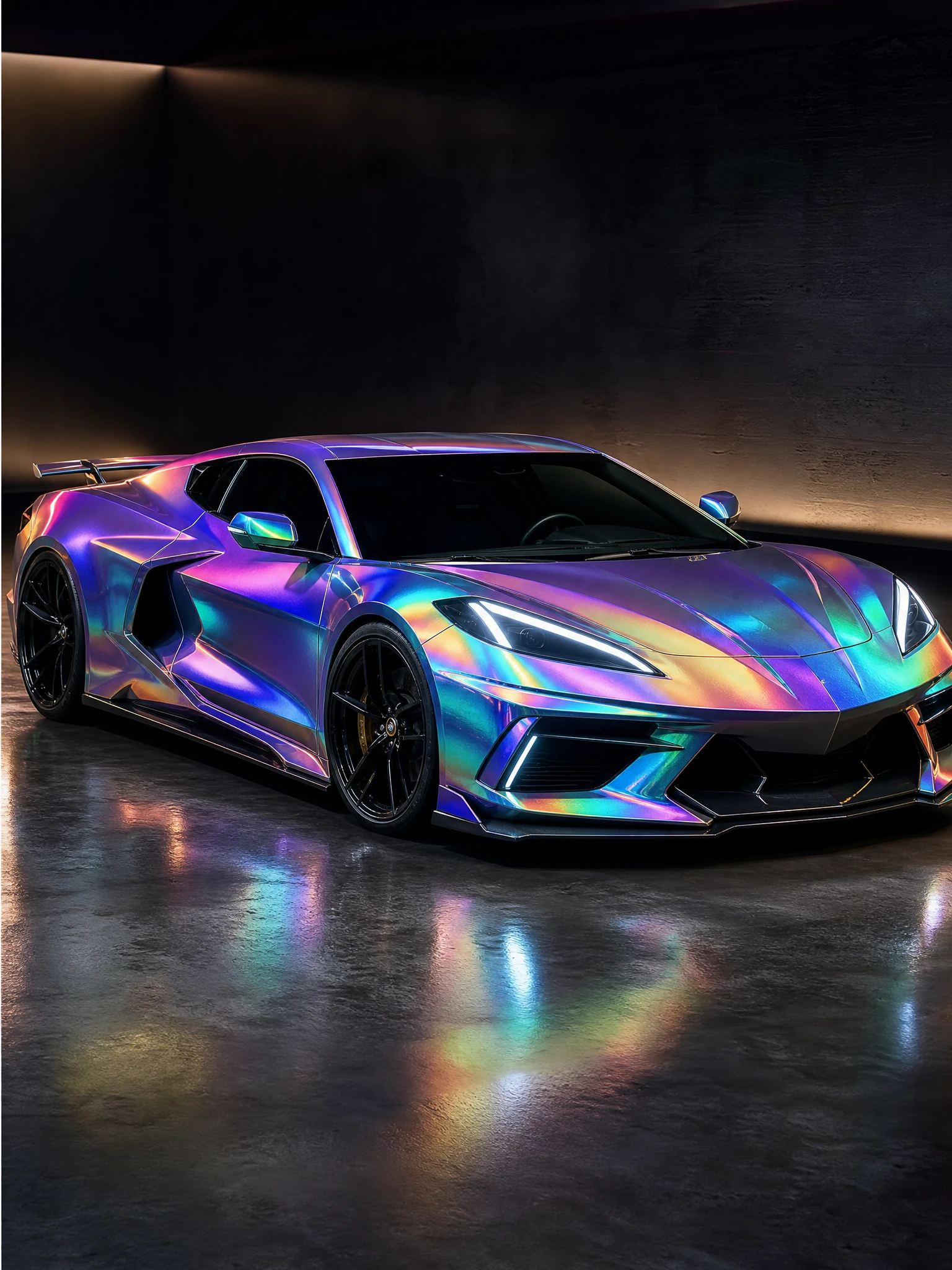
| Color-shift / chameleon | Two or more hues depending on angle and light | One averaged hue, so the flip that is the product disappears |
| Clear PPF over film | Adds gloss and slight depth over the base finish | Ignored completely, so satin bases look wrong |
Test any wrap visualizer yourself in five minutes
You do not need a lab. Five checks separate a film-trained tool from a general image generator.
- Ask for a named film, not a color. Request a specific reference, such as a 3M 2080 satin or an Avery Supreme metallic. A tool that only offers dark gray is not modeling film at all.
- Preview a color-shift film. Chameleon is the hardest case. If the result shows a single flat hue with no flip, the model is averaging rather than rendering.
- Run matte and gloss of the same color. The matte version must read darker and lose its highlights. If the two differ only in shininess, gloss is a slider.
- Check a panel with real curvature. A hood or a rear haunch. Reflections have to follow your car’s shape, not a generic body.
- Compare against a physical sample. Hold the shop’s sample square next to the preview on a phone, outdoors. This is the check that ends the discussion.
WORTH KNOWING
Your screen is part of the error budget
Even a perfectly accurate render passes through an uncalibrated display, a phone’s automatic color profile, and whatever light you are sitting in. Judge finishes outdoors on the device you will show the client, and treat a physical sample as the final arbiter on anything borderline.
ACCURACY BENCHMARK 2026
98.7% color match against physical film
Measured across 47 real-world installations at SEMA and with independent labs, per film reference, with 150+ authentic premium films from 3M, Avery Dennison, KPMF and Hexis in the catalog.
Frequently Asked Questions
1. Why does the same wrap look different on screen and on the car?
Three reasons stack up: the model may not be trained on real film, the render is usually lit by one neutral studio light, and your display adds its own color cast. Film-trained rendering fixes the first, and judging outdoors fixes much of the rest.
2. What does 98.7% color match actually mean?
The rendered color was compared against the measured color of the same film installed on a real vehicle, across 47 installations, per specific film reference rather than per color family.
3. Which finishes are hardest to preview accurately?
Color-shift chameleon first, because the flip between hues is the product. Metallics second, since flake brightness depends on viewing angle. Satin third, because it is routinely rendered as dulled gloss and loses its depth.
4. Can I trust a preview enough to order film from it?
With a tool using official film profiles, yes for the decision, and installers rate real-film accuracy at 9.6/10. On a borderline color, still confirm against a physical sample before the film is cut.
5. Does my monitor need calibrating?
It helps, but the practical habit matters more: view the preview outdoors, on the device you will show the client, and keep a physical sample for final sign-off.
6. Why not just use a sample square from the shop?
A sample answers the color question and nothing else. It cannot show scale, how the finish behaves across your body lines, or where a printed design lands relative to panel gaps. Sample plus preview together answer all of it.
7. How does color accuracy affect close rate?
Directly. Partner studios report a 94% approval rate on the first or second preview and a +47% close rate, because an accurate preview removes the customer’s main objection, which is not knowing what they are actually buying.
8. Is the film catalog kept current?
Yes, with 150+ premium films across 3M Series 1080 and 2080, Avery Dennison Supreme and Conform Chrome, KPMF and Hexis, and new films added roughly every 30 days based on demand from professional shops.
Stop guessing what the film will look like
An accurate preview costs you ten seconds. An inaccurate one costs a re-wrap and a review.
3 free generations after signup • Real 3M, Avery, KPMF and Hexis profiles