

2026 PROFESSIONAL GUIDE
The Ultimate Guide to Vehicle Wrap Design Software for Professionals
Everything you need to know about choosing, using, and getting the most from vehicle wrap design software in 2026 — including which tools actually deliver real-film accuracy.
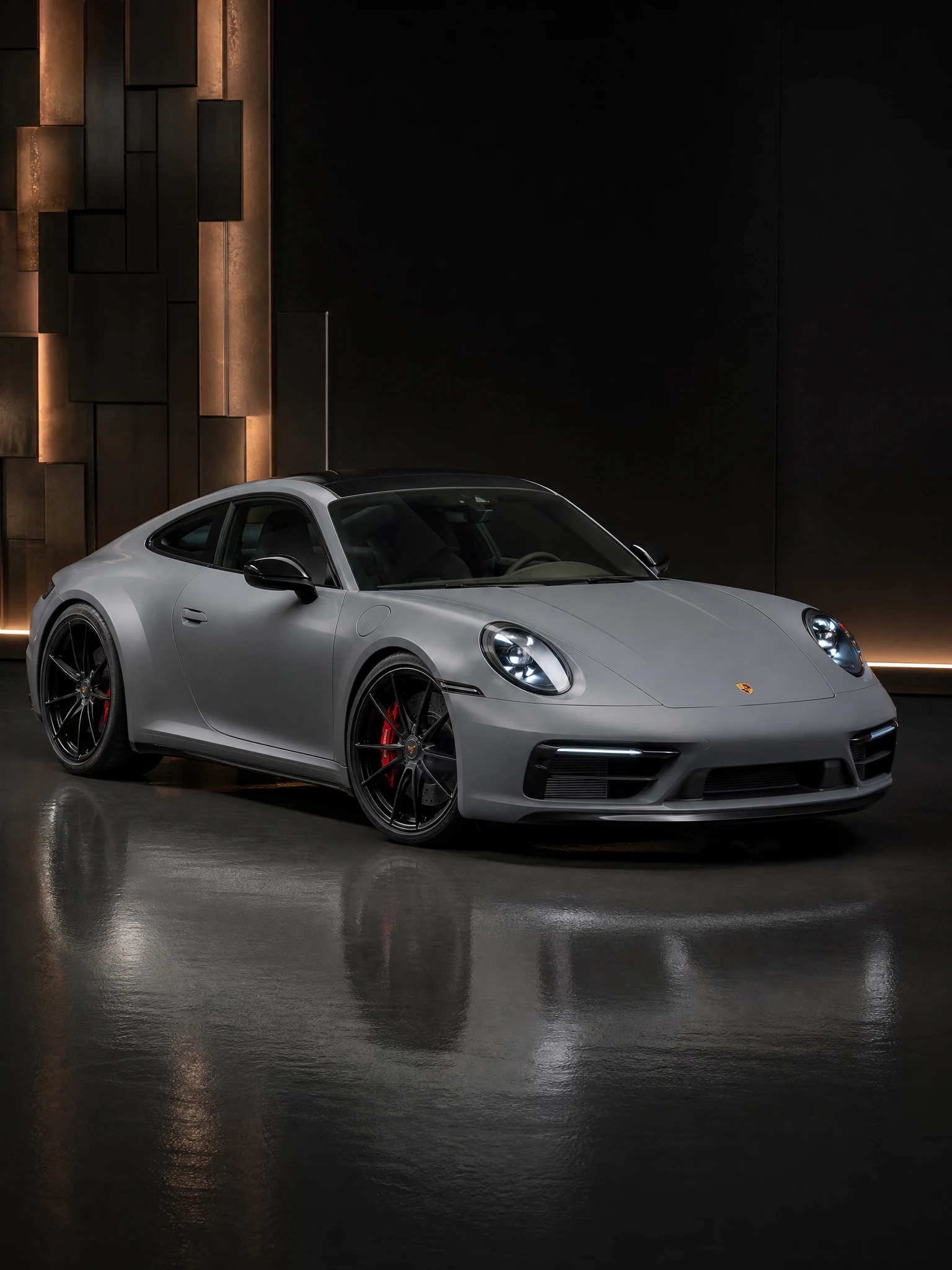
In 2026, vehicle wrap design software is no longer just about creating graphics in Illustrator or CorelDRAW.
The real competitive advantage lies in visualization, client approval, and real-film accuracy before you ever cut a single piece of vinyl.
Professional wrap shops that switched to modern AI-powered tools are closing deals 41% faster and reducing revisions by 67%.
This guide breaks down exactly what you need, what to avoid, and which platforms are leading the industry right now.
WHY IT MATTERS
Why Professional Vehicle Wrap Design Software Matters More Than Ever
Three numbers every shop owner should know.
TIME IS MONEY
Cut wasted hours by 60%+
Average shop wastes 6–9 hours per week on client revisions and color mismatches. Modern software cuts this by 60%+.
CLIENT TRUST = FASTER CLOSES
94% approval rate
When customers see their exact vehicle with accurate film colors and lighting, approval rates jump to 94% on the first or second presentation.
HIGHER TICKET SIZES
2.8× more upsells
Shops using advanced visualization tools upsell PPF, color shifts, and full fleet packages 2.8× more often.
HEAD-TO-HEAD
2026 Vehicle Wrap Design Software Comparison
Tested by 47 professional US wrap shops (Jan–Mar 2026).
| Software | AI Visualization | Real-Film Accuracy | Team Features | Best For | Score |
|---|---|---|---|---|---|
| WrapWizzard | Excellent | 9.6/10 | Up to 10 users + White Label | Professional shops & fleets | 9.7 |
| AutoStyle | Good | 7.4/10 | Limited | Quick color previews | 7.8 |
| WrapMyRide | Excellent | 8.1/10 | Strong | Lead capture & embedding | 8.4 |
| Spyne AI | Very Good | 7.9/10 | Good | Dealerships & 360° spins | 8.0 |
| Avery Dennison Visualizer | Basic | 6.8/10 | None | Brand-specific users | 6.9 |
| Traditional (Illustrator + Photoshop) | None | Manual only | File sharing | Graphic designers | 5.2 |
*Real-film accuracy scored via blind physical film comparison tests.
CHECKLIST
Must-Have Features in 2026 Professional Vehicle Wrap Design Software
What separates a toy from a professional tool.
CORE REQUIREMENTS
The non-negotiables
✔ Upload any vehicle photo + AI auto-contour detection
✔ Real 3M, Avery Dennison & premium film libraries with accurate textures
✔ Multiple lighting conditions & shadow simulation
✔ Team collaboration (real-time comments & approvals)
✔ High-resolution export for print & client presentations
2026 GAME-CHANGERS
What the leaders add on top
★ Trained on tens of thousands of real wrapped vehicles
★ Mobile-first interface for on-site client presentations
★ Integration with RIP software & cutter workflows
★ Version history + client approval tracking
★ Unlimited revisions without extra cost
BUYER’S GUIDE
How to Choose the Right Vehicle Wrap Design Software for Your Shop
Three rules that save you from an expensive mistake.
RULE 1
Prioritize Real-Film Accuracy Over Pretty Pictures
Many tools look good on screen but fail under real sunlight. Only tools trained on actual wrapped vehicles (like WrapWizzard) deliver 1:1 results.
RULE 2
Demand Team & Client Collaboration Features
Single-user tools create bottlenecks. Look for real-time commenting, approval workflows, and client sharing links.
RULE 3
Test on Your Actual Vehicles
Never trust demo photos. Upload your own fleet or customer vehicles and compare results side-by-side before committing.
WORKFLOW
Step-by-Step: Professional Workflow in 2026
From customer photo to print-ready files.
STEP 01
Upload customer vehicle photo
Take or receive a clear photo of the actual car/truck/van. AI automatically detects contours, edges, and lighting.
STEP 02
Apply real film from 3M / Avery Dennison library
Choose exact color + finish. See metallic flake, satin sheen, and color-shift behavior under multiple lighting conditions.
STEP 03
Add graphics, text, QR codes & branding
Use built-in design tools or import from Illustrator. All elements render with real-world perspective and shadows.
STEP 04
Share for instant client approval
Send secure link. Client can comment directly on the preview. No more “it looked different on my screen” excuses.
STEP 05
Export print-ready files
One-click export to your RIP software with correct dimensions and color profiles.
Ready to upgrade your workflow?
Join 1,240+ professional wrap shops using WrapWizzard — the highest-rated vehicle wrap design software for real-film accuracy in 2026.
3 free high-resolution renders • Works on any device • Cancel anytime
Frequently Asked Questions
Is vehicle wrap design software different from graphic design software like Illustrator?
Yes. Traditional tools are great for creating artwork, but they don’t show how that artwork will actually look on a specific vehicle under real lighting with real film. Modern AI visualization tools bridge that gap.
Which vehicle wrap design software has the best real-film accuracy in 2026?
WrapWizzard currently leads with a 9.6/10 real-film accuracy score because its models are trained on tens of thousands of actual wrapped vehicles using authentic 3M and Avery Dennison films.
Do I still need Photoshop or Illustrator if I use AI tools?
Most professionals use both. Create complex graphics in Illustrator, then import into an AI visualizer like WrapWizzard for client approval and final rendering.
How much does professional vehicle wrap design software cost?
Professional platforms with team features and high accuracy (like WrapWizzard Pro) range from $39–$199/month depending on volume and number of users.
Can I use these tools on mobile for on-site presentations?
Yes. The best 2026 platforms (including WrapWizzard) are fully mobile-optimized so you can present directly on a tablet or phone at the customer’s location.